
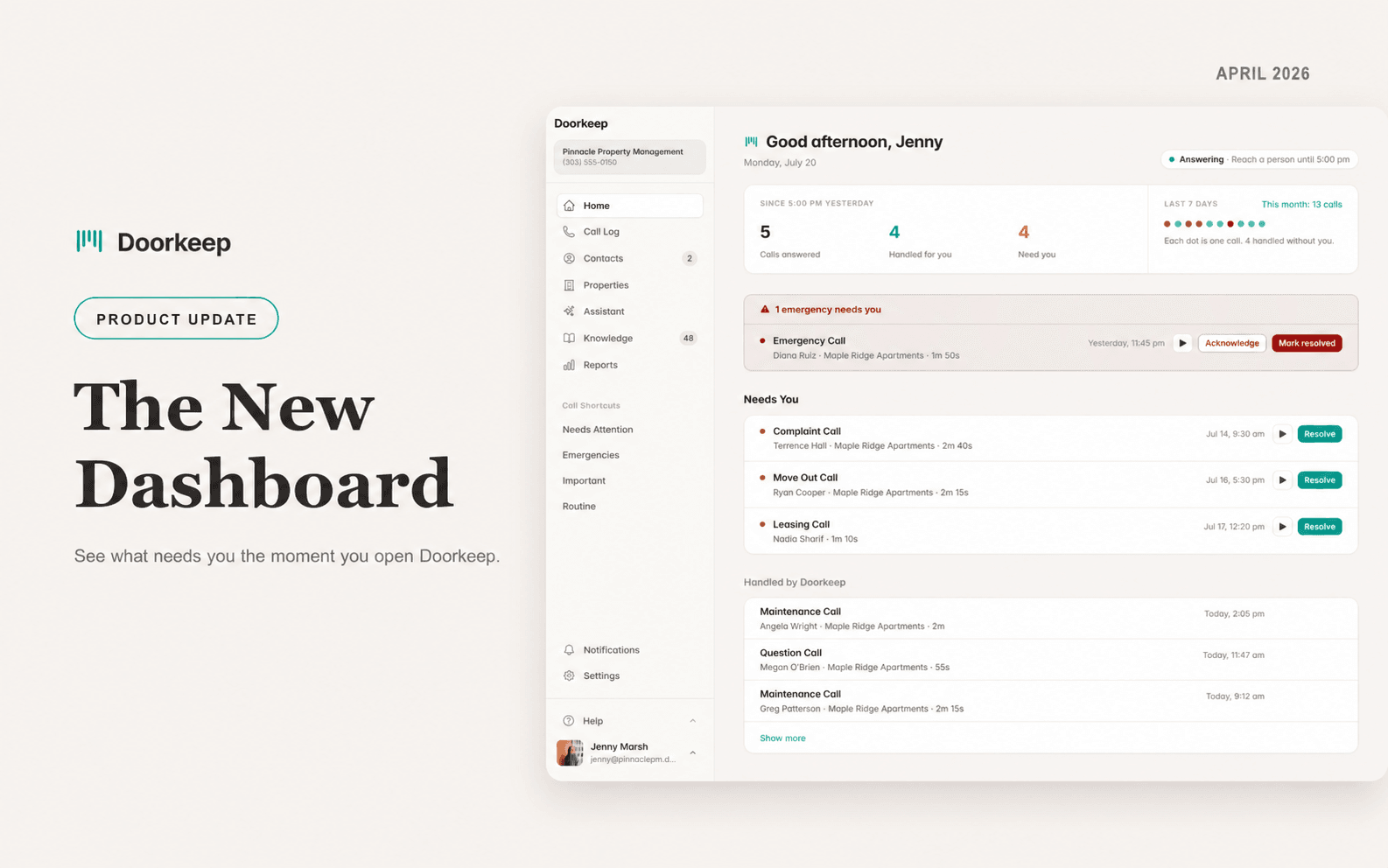
Open Doorkeep after a night of calls, and the first thing you see should be the one that needs you, not a wall of everything.
The old home screen listed every call the same way. A 2 AM emergency sat right next to a routine question, and you had to read all of it to find what mattered. We rebuilt it around the question you ask every morning: what needs me right now? What you see now came out of how property managers actually use Doorkeep, and what they told us they wanted surfaced first.
Emergencies come first, in red. Anything urgent is pinned above everything else, with acknowledge and resolve right there. You never hunt for it.
What needs you, split from what was handled. The calls that need a person sit at the top. The ones Doorkeep already handled sit quietly below. Act on the short list, skim the rest.
A running count of what you skipped. Answered, handled for you, and still needs you, right in the header. You can see the filter working at a glance.
One tap to the whole call. Play the recording, resolve it, or open the full record without leaving home.
The new dashboard is live for every account.
Want to see this on your own calls?
Book a walkthrough and we'll set up your call windows, contacts, and knowledge together. That's me on the call, not a rep.
Available for U.S. phone numbers. Monthly or annual billing. Cancel anytime.
Fair Housing guardrails · Recording disclosed on every call · Emergency detection and escalation